A Test Scenario is a high-level documentation that describes "what to test" without getting into the "how". It represents a specific functionality or a feature of the application that needs verification. It effectively serves as a category or a bucket for multiple test cases.
Real-Life Example: E-Commerce Login
Scenario: Verify the Login Functionality.
This single scenario covers multiple possibilities (Positive: Valid Login; Negative: Invalid Password, Locked Account, Forgot Password flow). In a real project like Amazon, "Verify Search Functionality" would be a scenario, under which you'd test searching by keyword, category, filters, etc.
Test Cases are the detailed, step-by-step instructions that describe "how to test" a specific scenario. A well-written test case is independent, clear, and contains Expected Results to verify against Actual Results. It is the fundamental unit of testing execution.
Real-Life Example: Money Transfer App
Scenario: Verify fund transfer.
Test Case 1: Transfer valid amount within limit.
- Pre-condition: User has $500 balance.
- Steps: 1. Select Payee 2. Enter $100 3. Click Send.
- Expected Result: Success message shown, new balance $400.
Test Data represents the specific input values fed into the application during test execution to verify logic. It distinguishes a "pass" from a "fail". Test data needs to be diverse, covering valid, invalid, boundary, and null values.
Real-Life Example: Healthcare Signup Form
For a "Date of Birth" field:
- Valid Data: 12/05/1990 (Adult).
- Invalid Data: 32/01/2023 (Invalid date), Future Date.
- Boundary Data: Today's date (if newly born), or 18 years ago exactly (if 18+ restriction).
Boundary Value Analysis (BVA) checks the edges of input ranges. Bugs hide at the boundaries.
Real-Life Examples:
1. Driving License (Age Limit: 18 to 65)
- Min (18): PASS
- Min-1 (17): FAIL (Too young)
- Max (65): PASS
- Max+1 (66): FAIL (Too old)
2. Domino's Pizza Size (7" to 10")
- 7-inch: PASS (Smallest allowed)
- 6-inch: FAIL
- 10-inch: PASS (Largest allowed)
- 11-inch: FAIL
Simple Answer: We test the API BEFORE the UI (Website/App) is ready.
Think of it like a Car:
- API = Engine (The internal logic that makes it move).
- UI = Car Body/Paint (What the user sees).
We test the Engine (API) first. If the engine is broken, there is no point in painting the car (UI).
Real-Life Example: Booking a Flight
Imagine the Expedia website (UI) is not ready yet, but the "Search Flight" logic (API) is ready.
We use tools like Postman to send a request: "Find flights from NY to London".
If the API replies with correct flight data, we know the logic works. Later, when the UI is built, it will just display this data nicely.
Even if the Engine (API) is perfect, you can't drive a car without a Steering Wheel (UI).
- User Experience: Is the "Book Now" button visible?
- Usability: Is the font readable? Do the colors match?
- Accessibility: Can the user actually click the buttons?
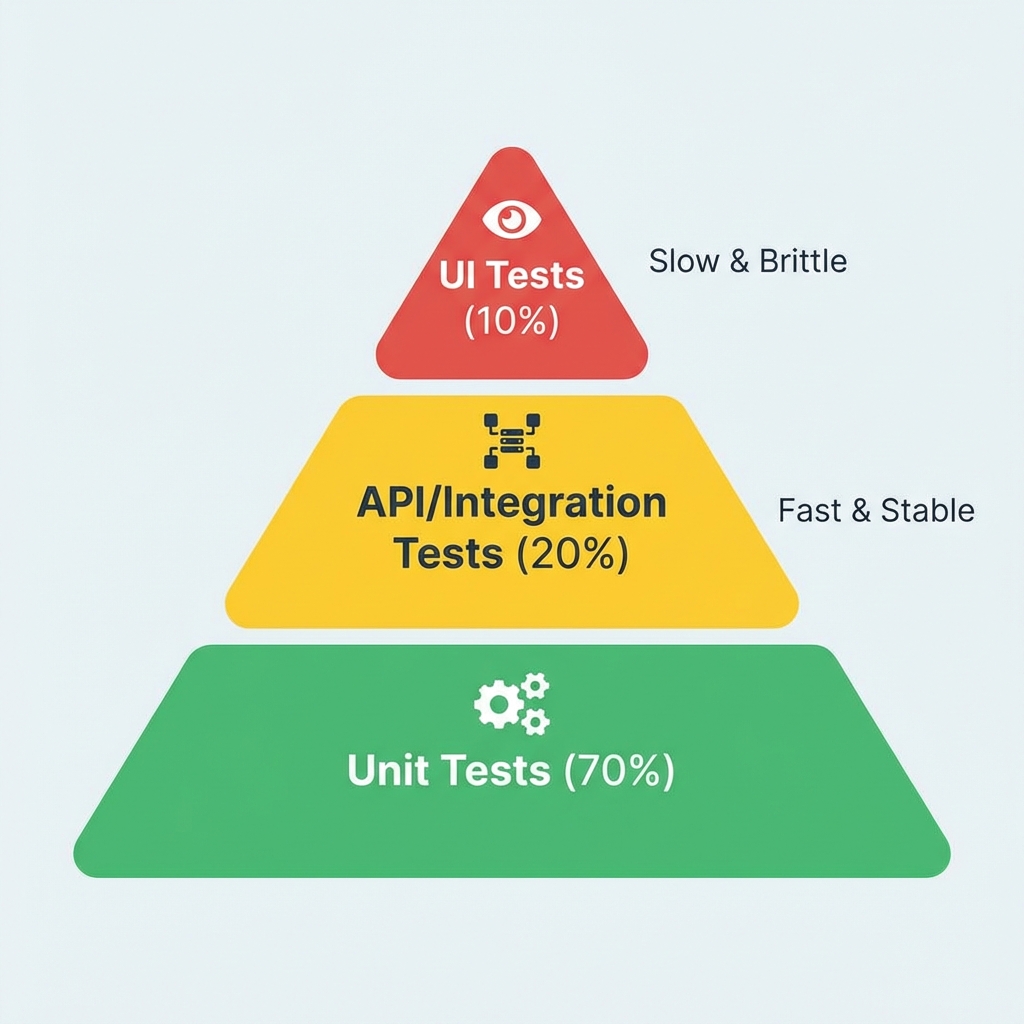
Fig 1: API testing fits in the stable middle layer.
These are different architectural styles and protocols.
| Protocol | Key Characteristic | Real-Life Use Case |
|---|---|---|
| Common Ground | SOAP & REST | Both primarily run over HTTP. |
| SOAP | XML-based, strict standards, high security. | Banking Payment Gateways (e.g., old SWIFT systems) due to ACID compliance. |
| REST | JSON-based, stateless, standard HTTP methods. | Public APIs like Twitter API, Google Maps API. Most common. |
| GraphQL | Client specifies exactly what data it needs. | Facebook/Instagram Newsfeed where you need complex data (user + posts + comments) in one fetch. |
| Socket.IO | Bidirectional, Real-time. | WhatsApp Web, Uber Driver Live Tracking (instant updates without refreshing). |
Testing technique selection is driven by the nature of the requirement and the risk involved.
- Forms with ranges: Use BVA (Boundary Value Analysis). (e.g., Age 18-65).
- Dropdowns: Use Equivalence Partitioning.
- Example (Pizza Sizes):
Group 1 (Small): 7" - 10" (Valid).
Group 2 (Medium): 11" - 13" (Valid).
Group 3 (Invalid): 6" (Too Small) or 15" (Too Large).
- Example (Pizza Sizes):
- Complex logical rules: Use Decision Table Testing. (e.g., If Age > 18 AND Score > 600 -> Approve Loan).
- Workflow/Process: Use State Transition Testing.
- Example (Order Status): New -> Processing -> Shipped -> Delivered.
How to test: Verify "Processing" can move to "Shipped" (Valid), but "Shipped" cannot go back to "Processing" (Invalid).
- Example (Order Status): New -> Processing -> Shipped -> Delivered.
We do NOT automate everything. Automation is an investment.
Checklist for Automation Candidates:
- ✅ Repetitive/Regression Tests: Login, Search, Checkout (runs every daily build).
- ✅ Data-Driven Tests: Registering 1,000 users from an Excel sheet.
- ✅ Calculations: Interest rate calculators (prone to human math errors).
- ❌ UX/Usability: Checking if the site "looks good" or color correctness (Subjective).
- ❌ One-off Tests: Features that will be removed next week.
Regression is verifying that new code hasn't broken existing functionality.
Selection Criteria:
- Critical Path: Functionality that blocks business (Login, Payment).
- Recent Changes: Features directly modified in this sprint.
- High Defect Areas: Modules that historically break often ("Fragile" parts).
- Integration Points: Where updated modules talk to other modules.
When time is limited, we use the MoSCoW method.
Example: Launching a Food Delivery App tomorrow
- Must Have (P0): Order placement, Payment processing (If this fails, no business).
- Should Have (P1): Order history, Driver tracking (Important, but can manually support if broken).
- Could Have (P2): Dark Mode, Profile Picture upload (Nice to have).
- Won't Have (P3): AI-based food recommendations (Future scope).
First, a clarification: We NEVER test the external provider itself (like Stripe/PayPal).
Why?
- Their Responsibility: It is their product, they typically have thousands of engineers testing it.
- P.O.C (Proof of Concept): We already selected them because they are capable. If not, we would have chosen another.
- Waste of Time: Building/testing a payment gateway from scratch is redundant.
However, we MUST test our Integration (The Connection - part of our P.O.C):
1. API Testing (Security & Logic): We test the "Pay" endpoint to ensure it deducts the exact amount, handles currency conversion correctly, and securely tokensizes card details.
2. UI Testing (User Experience): We verify the user is redirected to the bank page, the loading spinner appears, and the "Success" animation plays.
This is a common interview question for freshers. The interviewer wants to see if you can think of the basic "Happy Path" and "Negative Scenarios".
Simple Answer (What you should say): "I will verify if the item is correctly added and if I can pay for it."
- Verify that a user can add a product to the cart.
- Verify that the cart total updates correctly.
- Verify that the user can complete the checkout process successfully.
- Verify that an error is shown for "Out of Stock" items.
| TC ID | Test Scenario | Test Steps | Expected Result |
|---|---|---|---|
| TC_001 | Verify Adding Product | 1. Grid Page -> Click "Add to Cart" 2. Check Cart Icon |
Item count increases by 1. |
| TC_002 | Verify Cart Calculations | 1. Add Item ($500) 2. Check Total with Shipping ($10) |
Total should be $510. |
| TC_003 | Verify Successful Checkout (Happy Path) | 1. Enter Valid Address 2. Enter Valid Card 3. Click Pay |
Order Placed successfully. ID generated. |
| TC_004 | Verify Invalid Card (Negative) | 1. Enter Card Number: 4111...1234 2. CVV: 000 (Invalid) 3. Click Pay |
Error message: "Invalid CVV". Payment failed. |
| TC_005 | Verify Out of Stock | 1. Select item with 0 Stock 2. Click Add |
"Out of Stock" button is disabled or shows error. |
This is usually decided as part of the P.O.C (Proof of Concept), but as testers, we must verify the integration points.
Testing 3rd party integrations (Stripe, PayPal) requires "Dummy Cards".
Common Scenarios:
- Happy Path: Valid card, sufficient balance -> Success.
- Declined: Valid card, insufficient funds -> "Insufficient Funds" error.
- Timeouts: Simulate slow network. Does the app retry or show a timeout error?
- Back Button: Pressing "Back" during processing -> Should not duplicate payment.
Sometimes you don't have formal requirements. In that case, we use:
- Exploratory Testing: "Learning while testing." Navigate the app like a curious user.
- Competitor Analysis: How does Gmail do this feature? Our email app should likely behave similarly.
- Error Guessing: Using experience to guess where devs make mistakes (e.g., uploading a 1GB file, entering special characters in Name).
Errors should be graceful and informative. Use the "Oops" principle.
- User Perspective: Don't show "NullPointerException". Show "Something went wrong, please try again."
- Security: Error messages should not leak database info (e.g., "SQL Syntax Error at line 4").
- Logging: The actual technical error must be logged in the backend (Splunk/Datadog) for developers to fix.
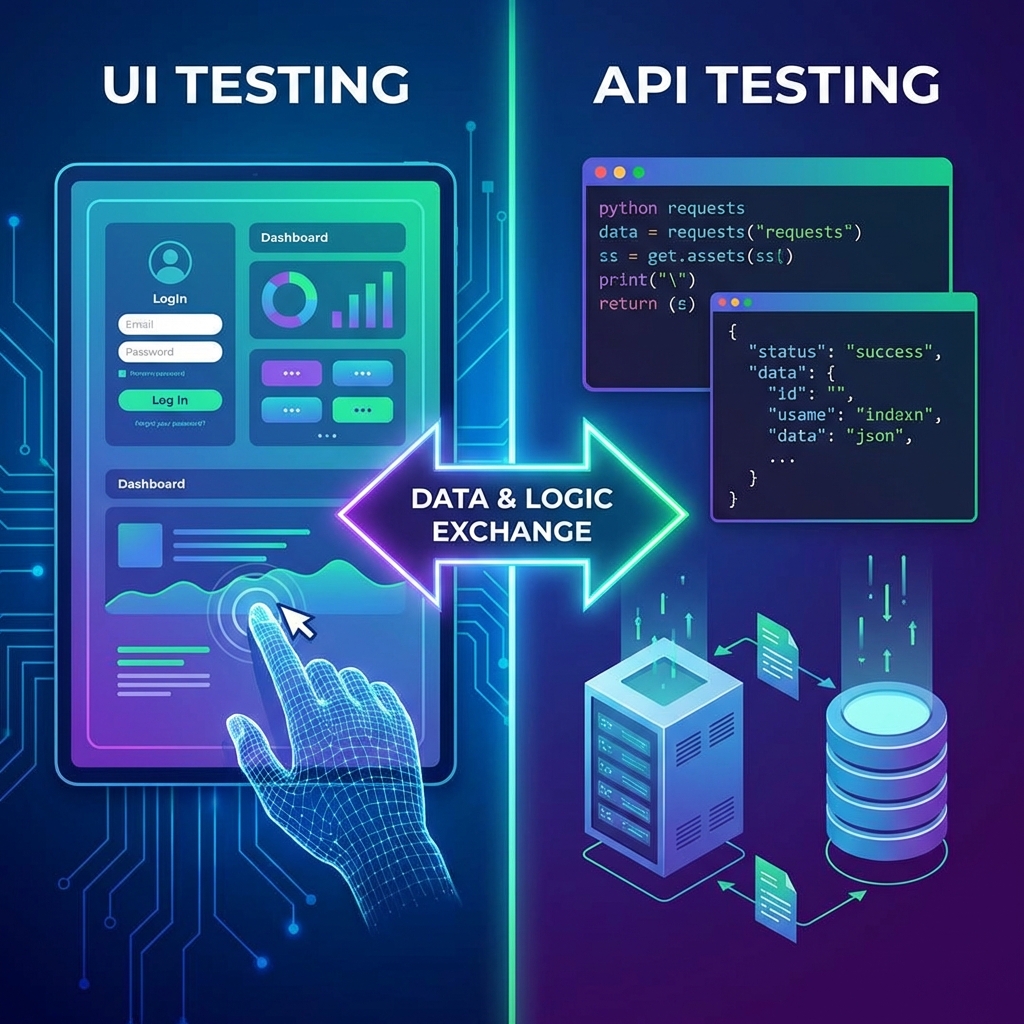
API testing is the foundation. If the foundation (Logic/API) is broken, painting the house (UI) is a waste of time. If the API fails, the UI is USELESS.
Why API First?
We can test the API even if the UI is not ready.
- Faster execution than UI tests
- Early validation of business logic
- Stable foundation for UI development
- Early bug detection reduces costs
- Speed: API tests run much faster than UI tests because they don't need to load a browser or render simple graphics.
- Early Testing (Shift Left): We can verify the backend logic before the UI is even built.
- Business Logic Validation: Ensures the core rules (e.g., calculating interest) are correct independent of the screen.
- Early Bug Detection: Finding bugs in the API layer is cheaper to fix than waiting for the UI.
- Accuracy: Direct access to data ensures we are testing the exact values sent/received.
- Security & Authentication:
Real-Life Example (Kia Cars Hack):
Researchers found a vulnerability where they could remotely start, unlock, and track millions of Kia cars using just the license plate number. This was due to a leaked/weak API token mechanism.
Kia paid out significant bug bounties for reporting this critical API flaw.
Source: Hacking Kia (Sam Curry) - System Stability: API tests ensure that integrations between different services (e.g., Payment -> Order) don't break.
- Performance: We can easily load test an API with thousands of requests to check response times.
- Stable APIs = Stable Application: If the backend is solid, the UI will likely be stable too.
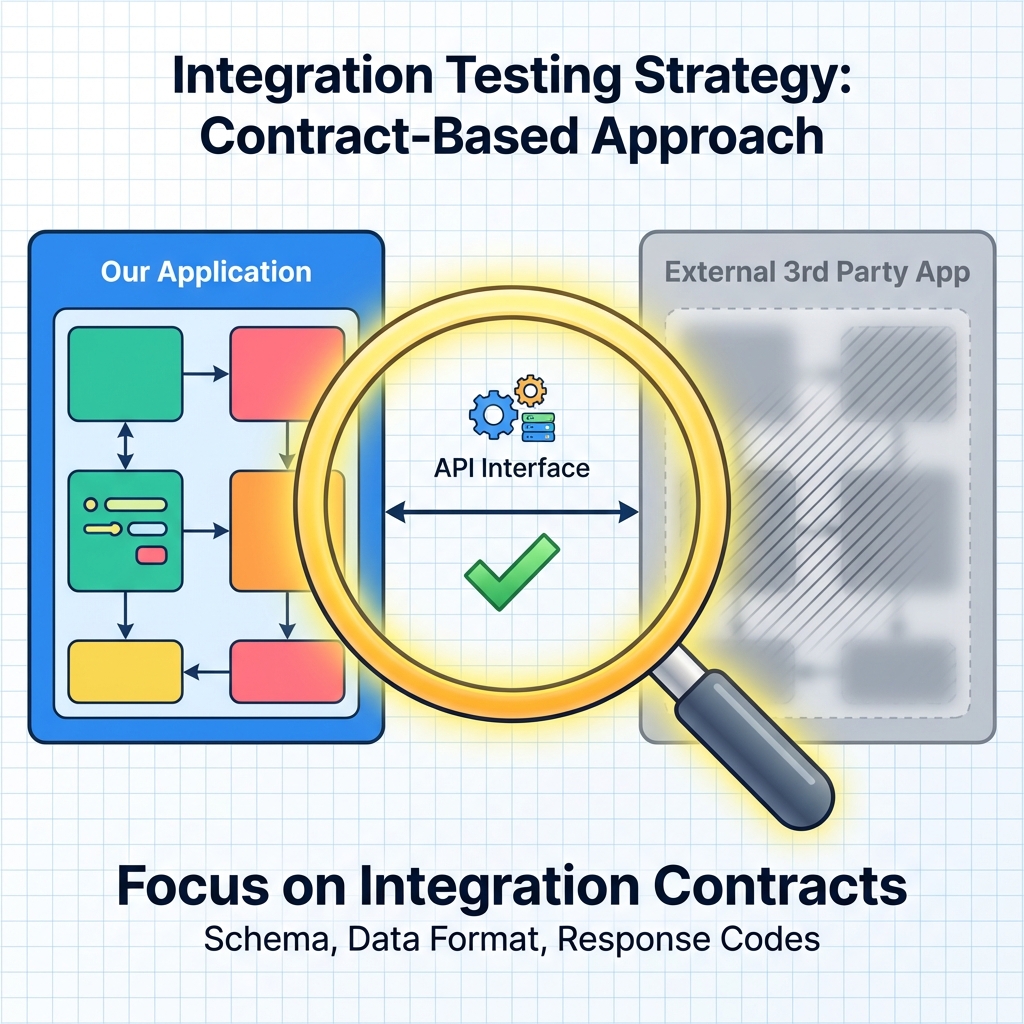
Fig 3: We focus on the connection, not the external box.
We DO NOT test external applications because:
- Third-Party Responsibility: Owned and maintained by vendors.
- Proof of Concept (POC): Already validated.
- Waste of Time (QA): We focus resources on our own code.
Instead, test integration points:
- API contracts
- Data exchange formats
- Error handling at boundaries
Key Principles to Remember:
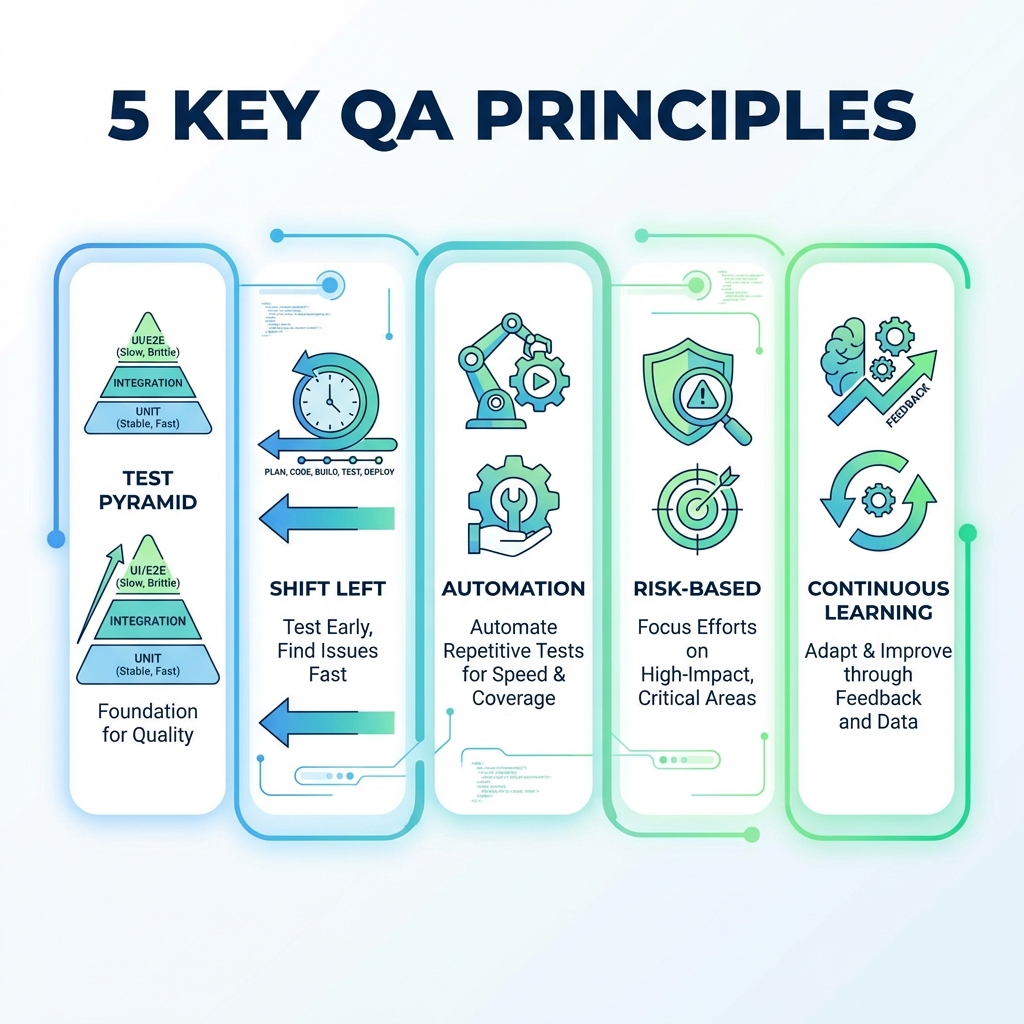
- Test Pyramid: More API/Unit tests, fewer UI tests
- Shift Left: Test early in development cycle
- Automation: Automate repetitive, critical tests
- Risk-Based: Focus on high-impact areas
- Continuous Learning: Stay updated with new tools
Want to learn more? Check out our Manual Testing Course
Designed for beginners to launch their QA career.